
Sound of Text: Text to Speech Generator MP3
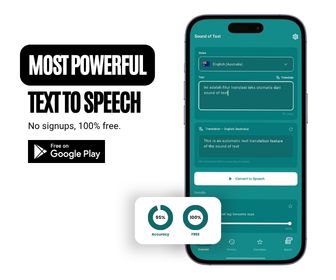
Convert text to natural speech audio in multiple languages for free. Download high-quality MP3 audio files for WhatsApp ringtones, TikTok voiceovers, and YouTube Shorts.
FAQs
What is Sound of Text?
Sound of Text is a free online Text-to-Speech (TTS) tool that converts written text into high-quality MP3 speech using Google Translate's speech synthesis engine.
How to create a custom WhatsApp ringtone?
Enter your text, choose your preferred language, and click Convert to Speech. Then open WhatsApp Settings > Notifications and select the MP3 sound.
Is Sound of Text free to use?
Yes, 100% free with no registration, login, or installation required.
Sound of Text Hub
Sound of Text (available on our Main Generator Page) is a powerful online Text-to-Speech (TTS) utility that converts written text into clear MP3 audio files across dozens of languages and regional dialects.
Designed for WhatsApp users, content creators, educators, and language learners, Sound of Text allows you to easily generate personalized ringtones, notification sounds, video voiceovers, and audio notes. Read more about our mission.
Popular Language Generators
Choose from our curated language and dialect voice generators:
- Sound of Text Indonesia — Indonesian Google voice for WhatsApp ringtones and TikToks.
- Sound of Text Melayu — Malay (Malaysia) Google voice for WhatsApp ringtones and TikToks.
- Sound of Text Javanese — Local Javanese dialect speech synthesis.
- Sound of Text Sundanese — Gentle Sundanese regional accent generator.
How to Create & Set Custom WhatsApp Ringtones
- Type your desired custom text into the text area above or visit our homepage tool.
- Select your target language from the dropdown selector.
- Click Convert to Speech and listen to the audio preview.
- Click the download icon (↓) beside the audio player, then choose Download from the player’s three-dot (⋮) menu to save the audio file.
- On your phone, open WhatsApp > Settings > Notifications > select your downloaded MP3 audio file.
Want a ringtone that calls your own name? Follow our step-by-step WhatsApp Ringtone Guide.
